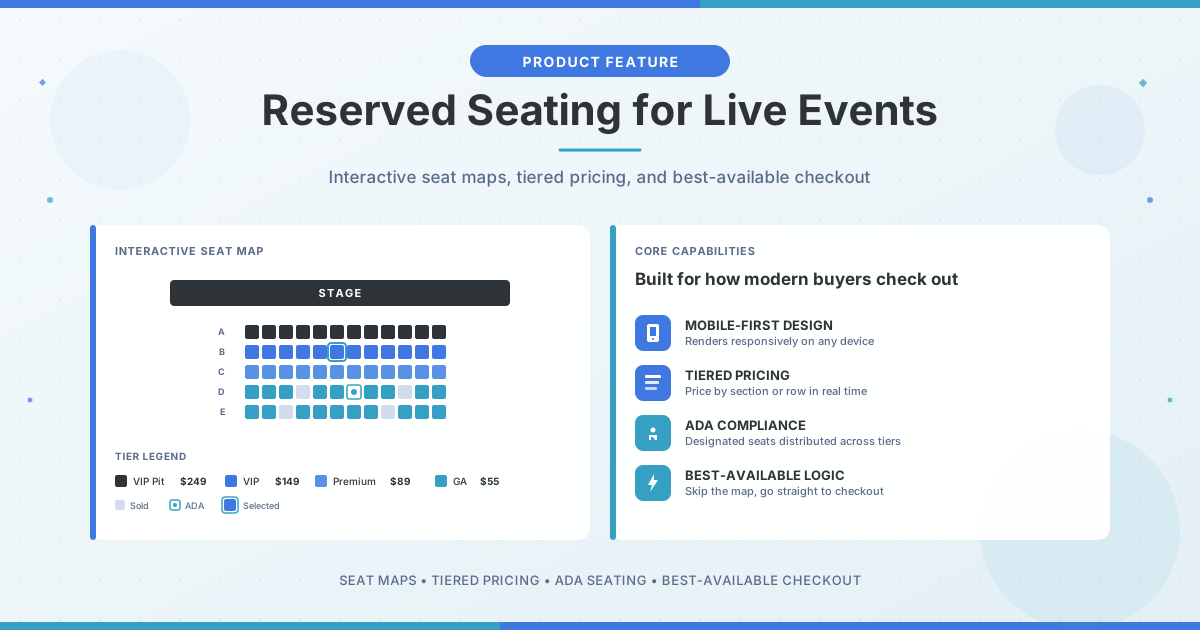
Why Reserved Seating Matters for Live Events
For concerts, theater productions, comedy shows, and any event where seat location affects the experience, reserved seating does more than organize a room. It shapes how attendees perceive value, how quickly they complete checkout, and how much revenue you capture from premium inventory.
A well-designed seat map reduces friction for buyers and gives you pricing flexibility that general admission can't match. A poorly designed one creates confusion, slows sales, and leaves money on the table.
This guide covers the core decisions you'll face when setting up reserved seating: designing an interactive map, structuring pricing tiers, handling ADA requirements, and enabling best-available logic to speed up checkout.
Design a Seat Map That Works on Any Device
Your seat map is the first thing buyers interact with after they decide to purchase. If it's hard to navigate (especially on mobile), you'll lose sales before checkout even begins.
When building your map, focus on clarity over decoration:
- Label sections clearly. Use names that match what attendees will see on their tickets and at the venue: Floor, Balcony, Mezzanine, VIP Pit. Avoid internal codes or abbreviations that only your team understands.
- Use color to indicate price, not just aesthetics. Buyers scan visually before reading. Color-coded tiers let them quickly identify what fits their budget.
- Test on mobile first. Most ticket purchases happen on phones. If your map requires pinching and zooming to select a seat, your conversion rate will suffer.
Big Tickets lets you upload a venue floor plan or build a map from scratch using our seat map designer. The map renders responsively, so buyers get the same experience whether they're on a laptop or in line at a coffee shop.
Structure Pricing Tiers to Capture Full Demand
Not every seat is worth the same amount, and your pricing should reflect that. Tiered pricing lets you charge more for front-row and center seats while still filling the back of the house at a price point that moves volume.
A few principles that work well for most venues:
- Start with three to five tiers. More than that creates decision fatigue. Fewer leaves money on the table in premium sections.
- Price VIP and premium sections aggressively. Fans who want the best seats will pay for them. Don't undervalue your front rows.
- Use early-bird pricing strategically. Discounting early inventory creates urgency and cash flow. Just make sure you have a plan for when to raise prices.
- Monitor sell-through by section. If your upper tier sells out while floor seats lag, your pricing may be inverted. Adjust mid-cycle if needed.
With Big Tickets, you can apply price changes to entire sections or individual rows in real time, with no need to take your event offline or rebuild the map.
Handle ADA Seating Correctly
Accessible seating isn't optional. Under the ADA, venues must provide wheelchair-accessible spaces and companion seats distributed throughout the price tiers, not just in the back or off to the side.
Your seat map should clearly designate ADA locations with recognizable icons. Buyers should be able to select these seats online without calling your box office, though you may choose to hold some inventory for phone or in-person requests.
Big Tickets supports ADA seat designation with optional purchase restrictions. You can allow open selection, require buyers to confirm eligibility, or reserve specific holds for box office release.
Speed Up Checkout with Best-Available Logic
Not every buyer wants to pick their own seat. Some just want the best option in their price range without clicking through a map.
Best-available logic handles this automatically. The system assigns the highest-value available seat based on the buyer's selected tier and quantity, then moves them straight to checkout. This reduces time-to-purchase and lowers cart abandonment, especially useful during high-demand on-sales when every second counts.
You can offer best-available as the default with an option to "choose your own seats," or let buyers toggle between modes. Either way, the goal is the same: remove friction and close the sale faster.
Use Seating Data to Improve Future Events
Reserved seating generates more granular data than general admission. After your event, you can see exactly which sections sold first, which lagged, and how pricing affected velocity.
Questions worth asking in your post-event review:
- Did premium sections sell out too early? You may have underpriced them.
- Did certain rows or sections underperform? Consider repricing or bundling with add-ons next time.
- When did most purchases happen (immediately at on-sale, or closer to the event)? This affects how you time price changes and marketing pushes.
Big Tickets provides section-level reporting so you can see sell-through rates, revenue by tier, and purchase timing. Use this data to refine your seat map and pricing for the next show.
The Bottom Line
Reserved seating isn't just about putting dots on a diagram. Done well, it increases revenue, improves the buying experience, and gives you data to make smarter decisions on future events.
The fundamentals: build a clear, mobile-friendly map; price tiers to match demand; handle accessibility properly; and offer best-available to speed up checkout. Get those right, and your reserved seating setup becomes a competitive advantage rather than a friction point.
Ready to Run a Smarter Event?
Big Tickets helps festivals, fairs, concerts, and live events sell more tickets, streamline operations, and deliver a better attendee experience. No subscriptions, no setup fees.
Request a Demo